Logo

Checkout Merchant API Reference

1.4

Integration scenarios

Sequence Flows
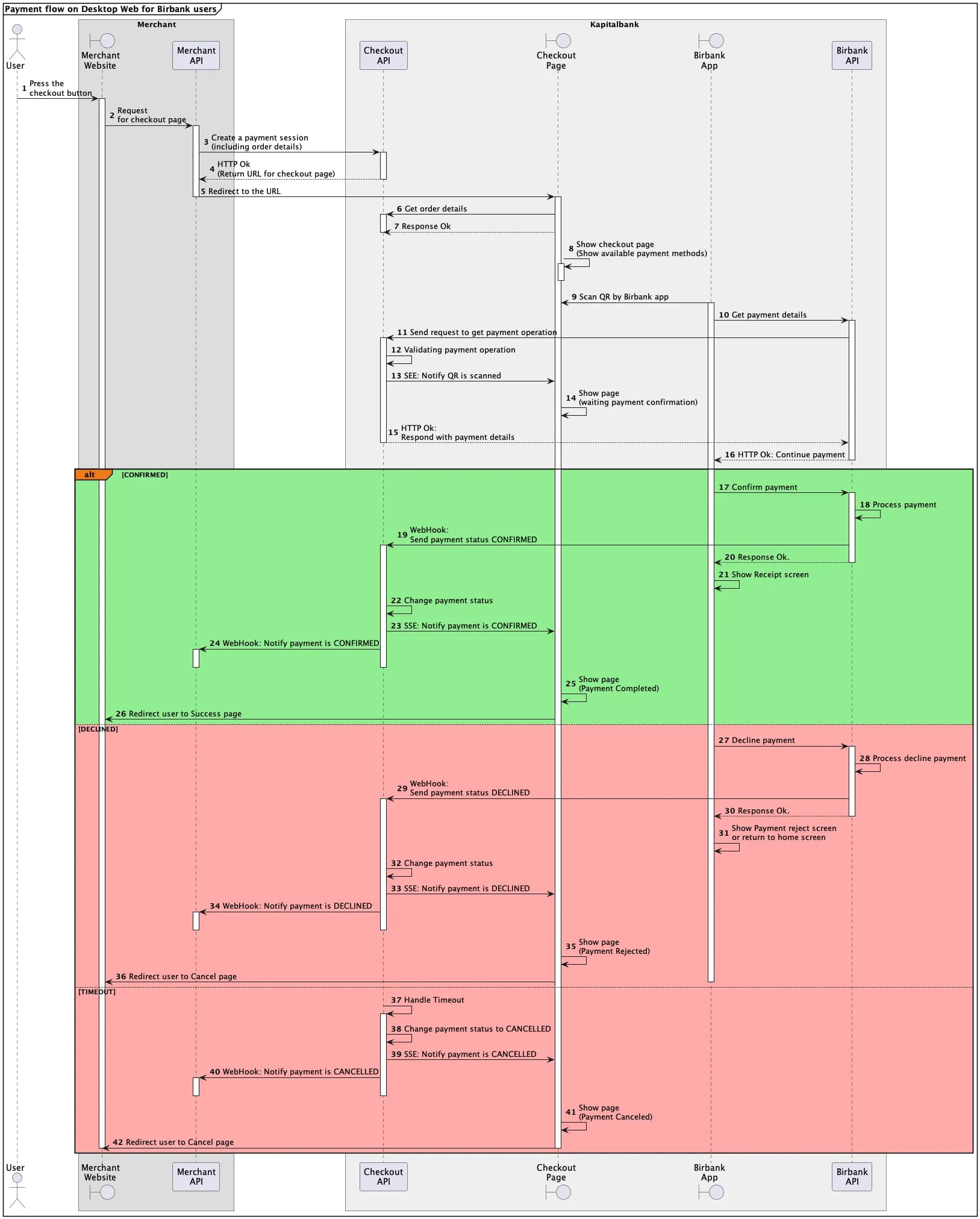
Web in Desktop, Birbank user
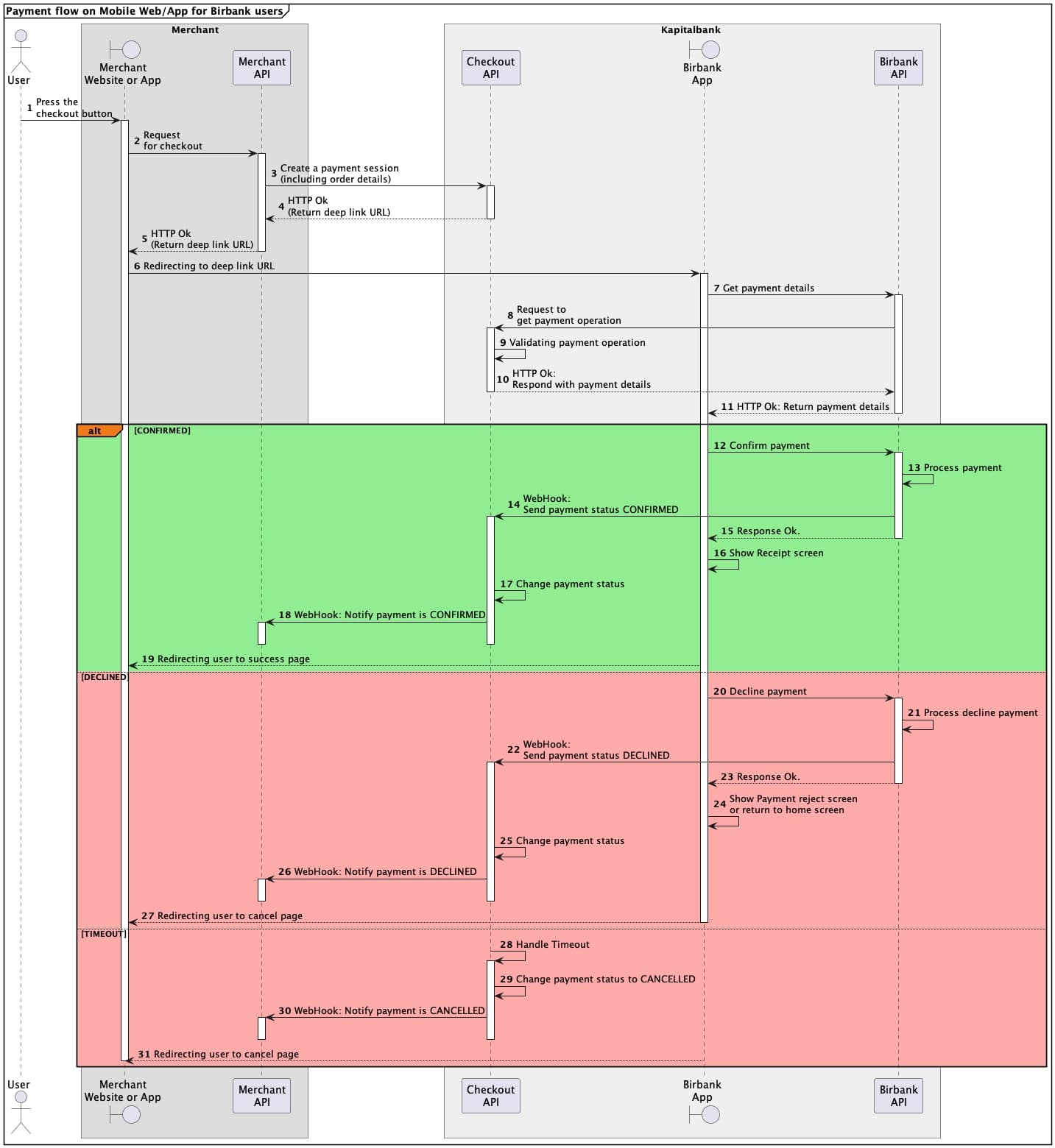
Web in Mobile and Mobile App, Birbank user (Deep link)
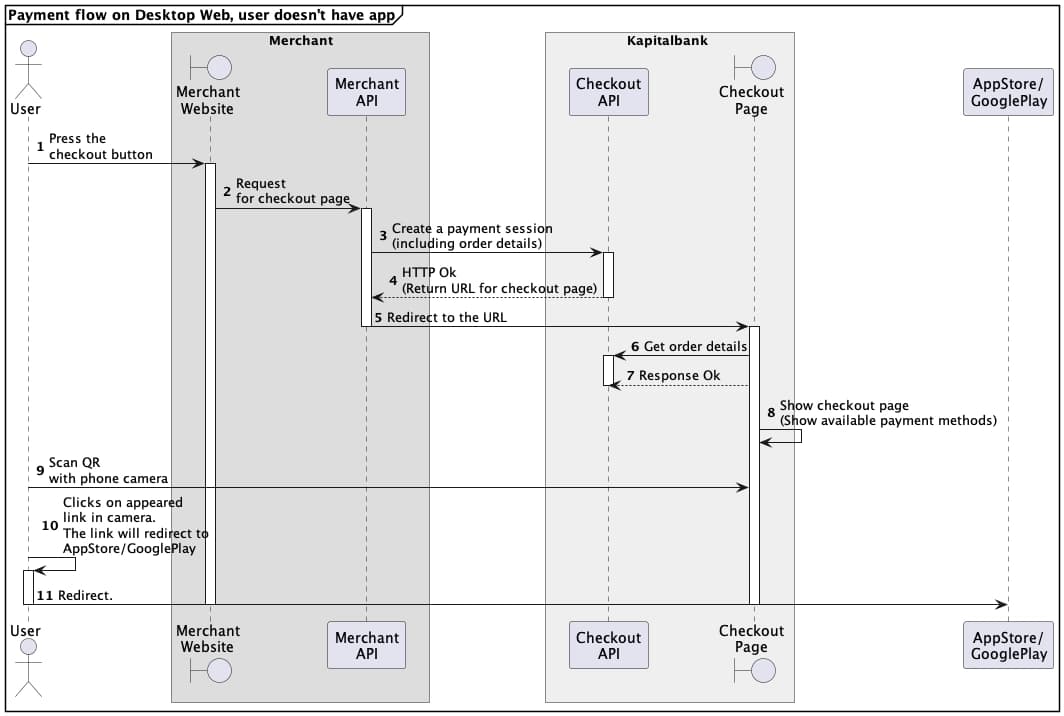
Web in Desktop, no Birbank app
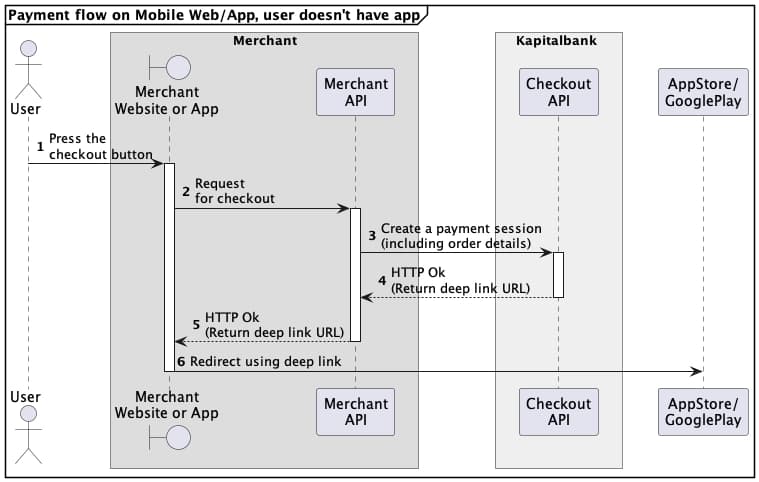
Web in Mobile and Mobile App, no Birbank app
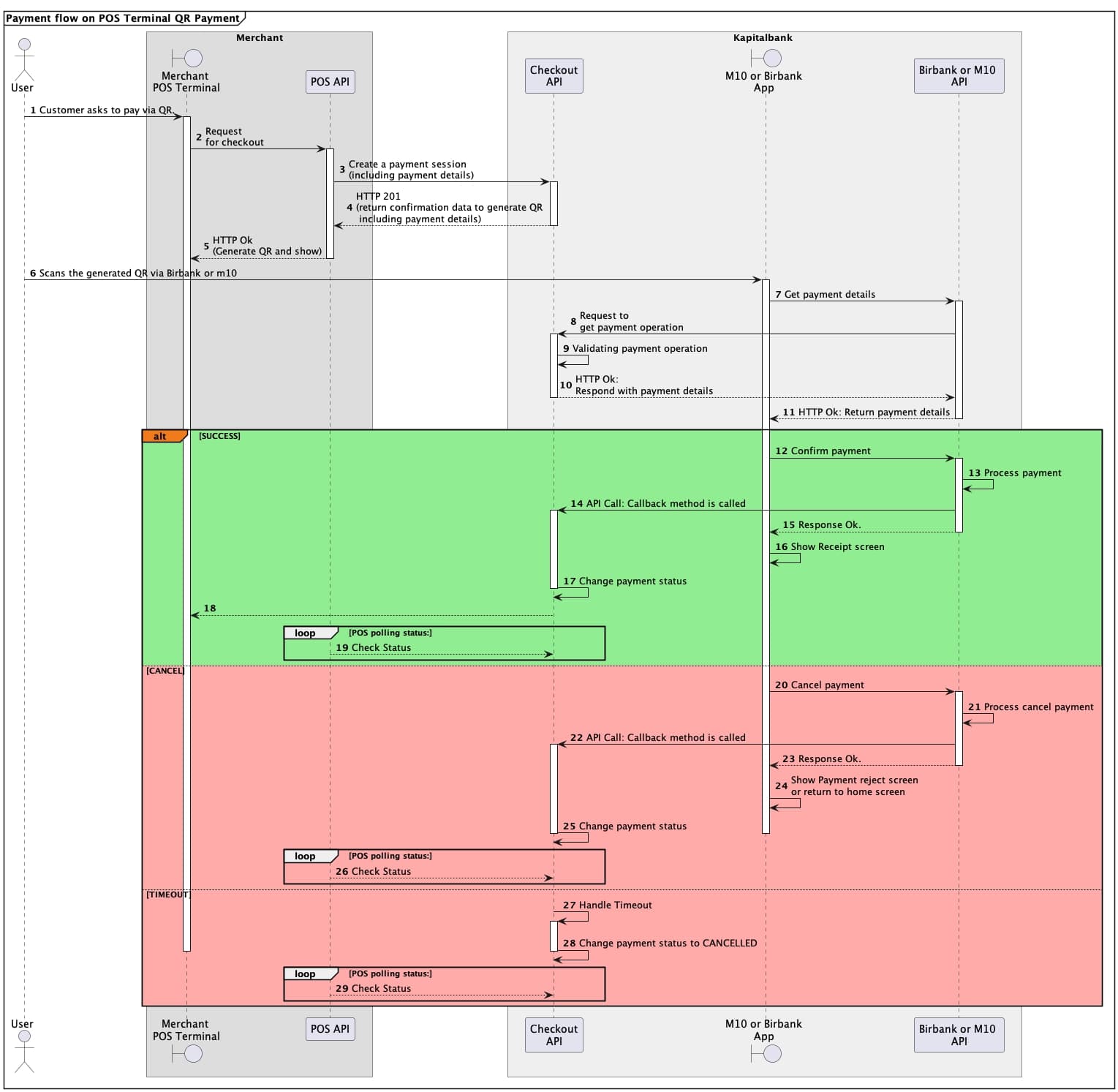
POS QR Flow
POS QR Flow
Web2App

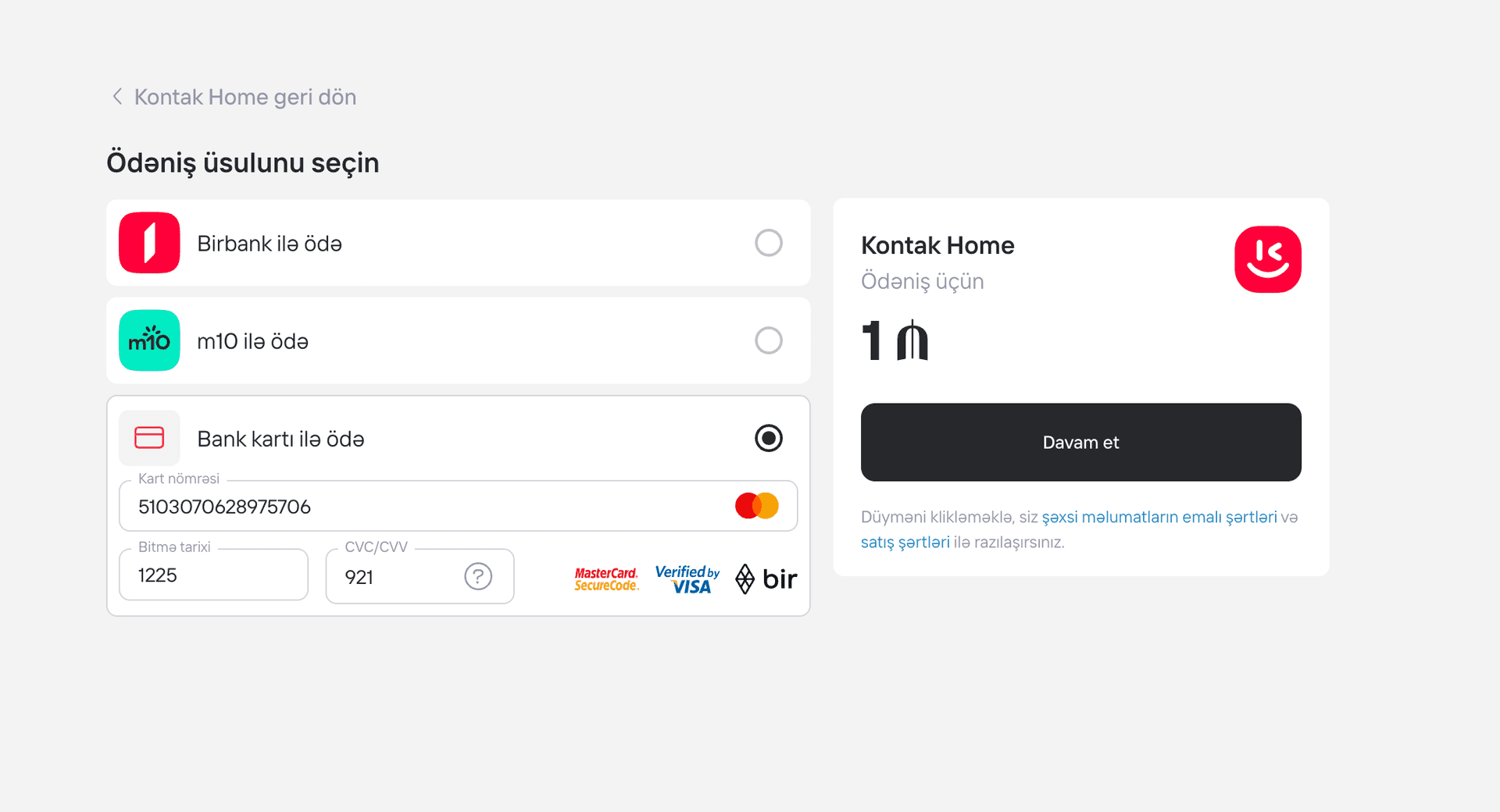
When a payment is created based on the received confirmation URL, the customer is redirected to that URL and presented with the corresponding page.
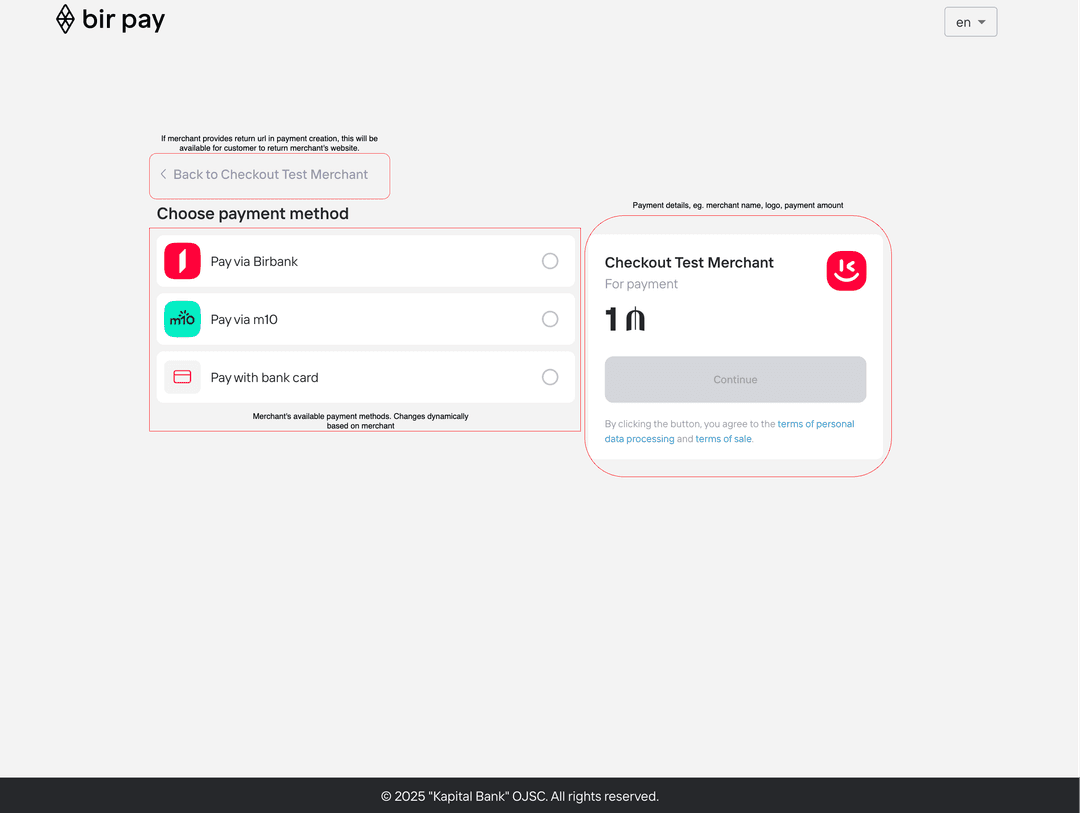
Web2App first step

When the customer selects a payment method, the following screens are displayed. BirPay then waits for the customer to take action to complete the payment.
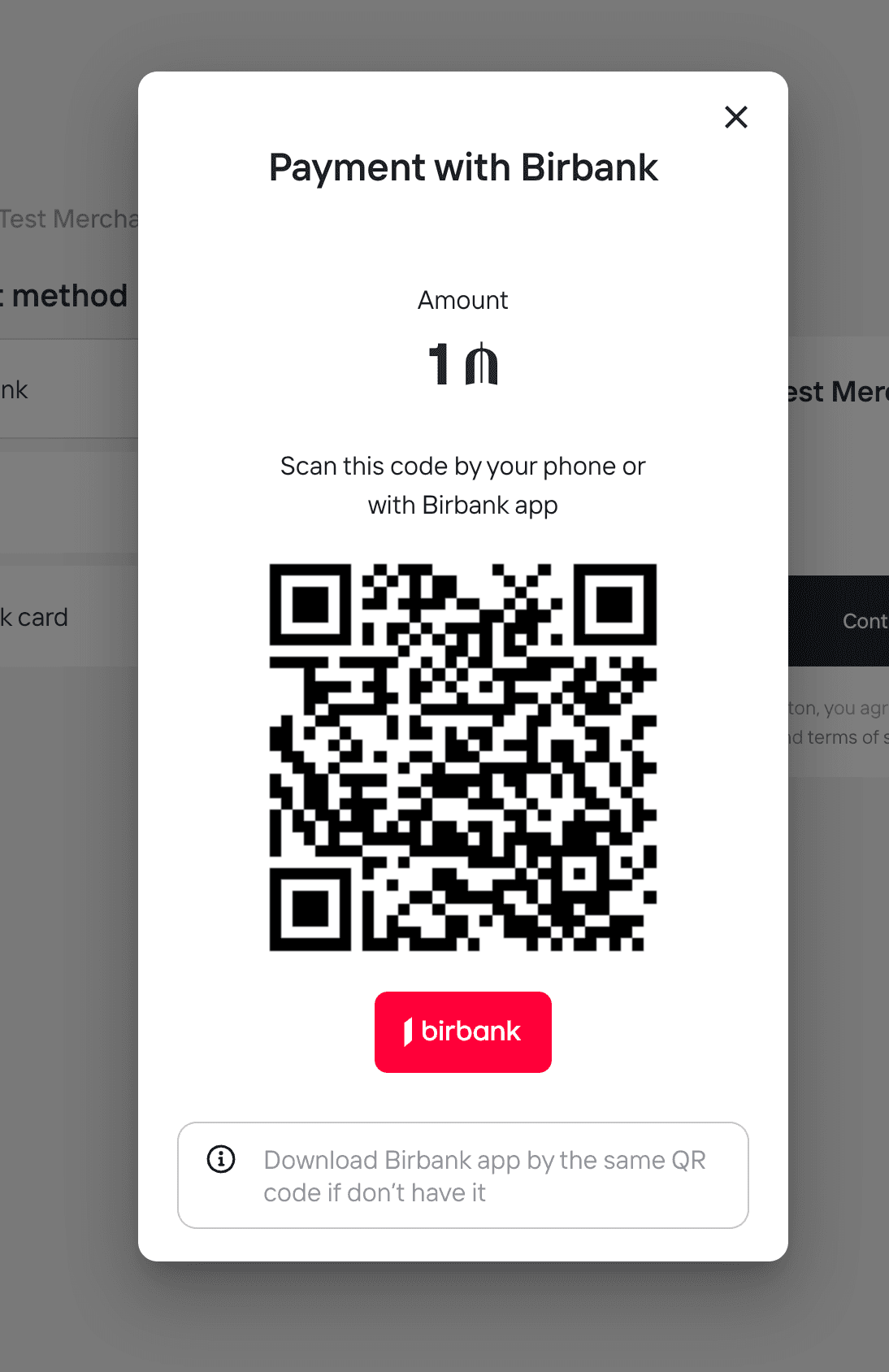
Web2App second step

Based on the payment result, the customer is shown either a success or a failure page.
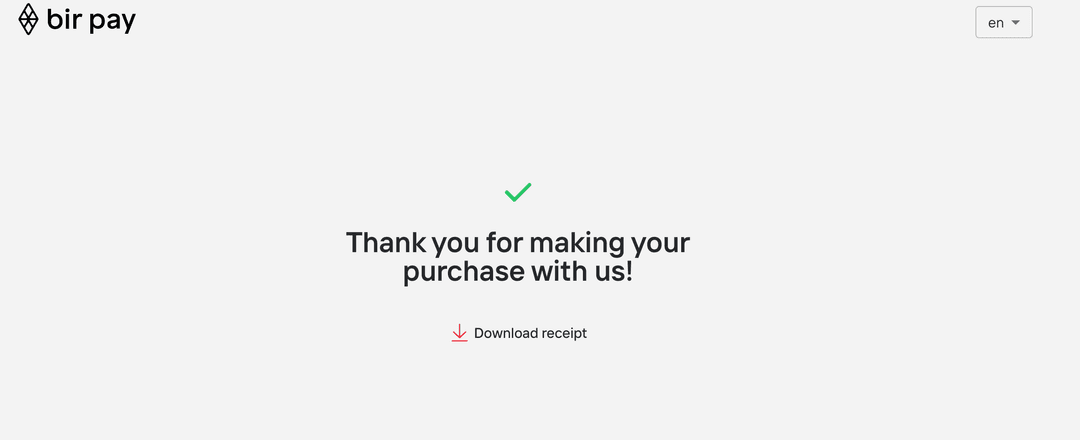
Web2App result step
App2App
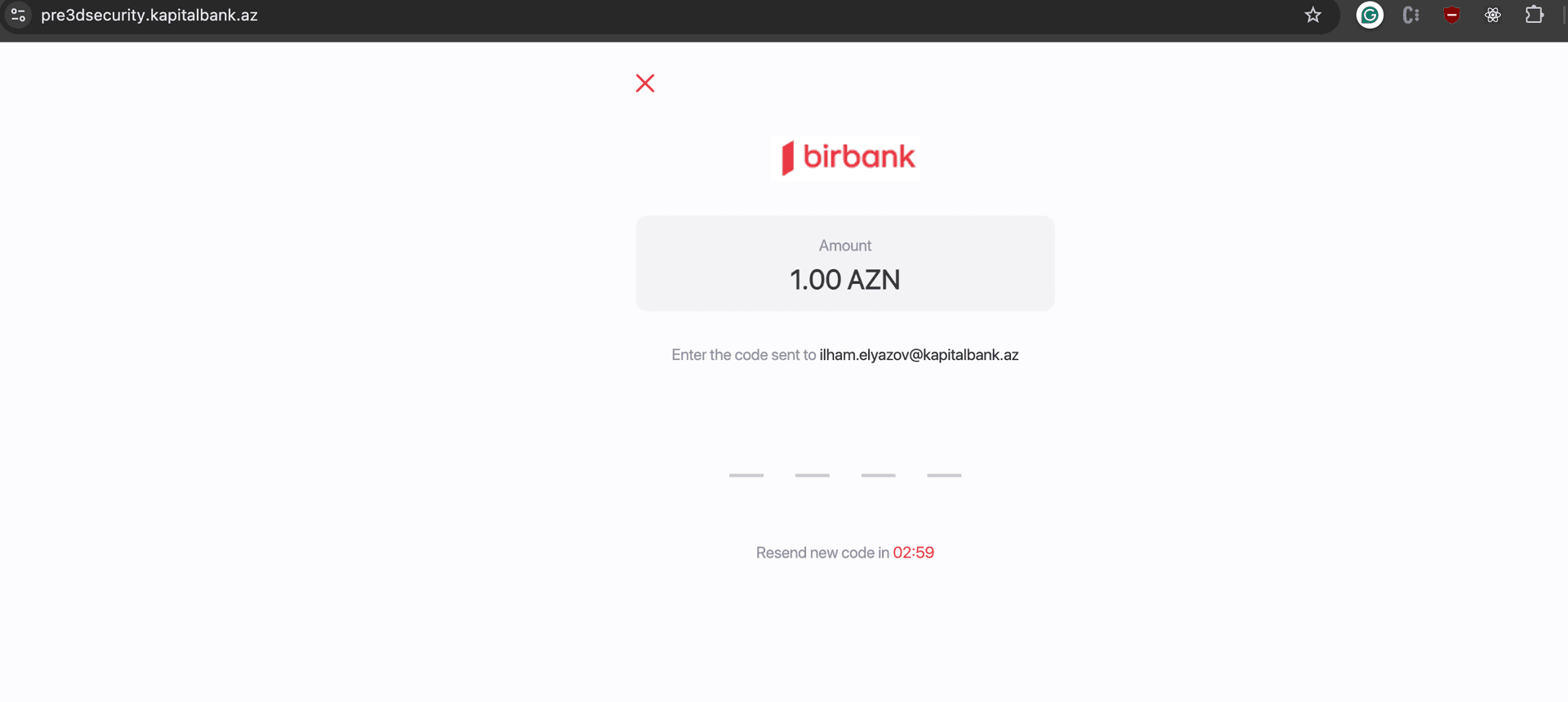
Card PaymentCard payment flow first step
Card payment flow second step